Training courses and consulting

Master OptiLayer Pro with Expert Online Training! πŸš€

Unlock the full potential of OptiLayer Pro with our comprehensive online training program! Whether you’re a beginner or an experienced user, our expert-led sessions will help you:

  • βœ… Design & optimize advanced optical coatings
  • βœ… Master thin-film analysis with hands-on exercises
  • βœ… Boost efficiency with real-world applications
  • βœ… Learn from industry professionals at your own pace

πŸ’» Flexible online format – learn anytime, anywhere!
πŸ“œ Certificate of completion included

Don’t miss out! Enroll today and take your optical coating expertise to the next level.


Individual training courses

OptiLayer experts hold training courses on OptiLayer software and related fields:

NEW: OptiLayer provides online trainings, which help you to start using OptiLayer in the most effective way. The training program is composed on the basis of the customer’s request.

OptiLayer online training

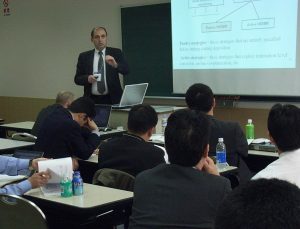
The program of courses is formed and agreed in advance on the basis of the customer’s requests. Both practical seminars and theoretical lectures are possible. In the courses, different design and characterization problems can be solved and discussed “on the fly”.

The approximate time estimate for one example (LEC24D22):

Introduction: OptiLayer and main functionality β€” 15 min

Applications β€” 1. LEC24D22

  • 1.1 Problem definition β€” 5 min
  • 1.2 Refractive index info β€” 5 min
  • 1.3 Database β€” 10 min
  • 1.4 Load substrate β€” 10 min
  • 1.5 Loading materials, changing abbreviations β€” 10 min
  • 1.6 Loading target and design to general info β€” 10 min
  • 1.7 Analysis of spectral results β€” 10 min
  • 1.8 Color evaluation parameters β€” 10 min
  • 1.9 Discussion of results β€” 5 min

β€” Break β€”

  • 1.10 Optimization β€” 10 min
  • 1.11 Update of design β€” 10 min
  • 1.12 Optimization β€” 10 min
  • 1.13 Color analysis β€” 10 min
  • 1.14 Discussion of results β€” 5 min

Contact us directly via e-mail: support@optilayer.org

All problems are discussed and solved in a confidential way.


Dr. Jennifer Kruschwitz presented the OptiLayer Workshop

Understanding OptiLayer Complete (OptiLayer, OptiRE, and OptiChar)

December 6, 2023, 6:00 pm – 9:00 pm, Eastern Time, via Zoom

Notes:

  • Pre-workshop videos for beginners will be available to registrants before the workshop.
  • The workshop will be recorded, and a link will be offered to registrants who cannot attend the live Zoom session.

Please download, fill in, and email this form to Jennifer Kruschwitz of JK Consulting at crusch1@frontiernet.net.

Workshop includes:

  1. Pre-workshop videos
    1. OptiLayer
      1. Set up an OptiLayer problem directory for a variety of medium, substrate, and layer materials, and units.
      2. Input a variety of designs using formulas or tabular data.
      3. Using data editors:
        1. Create a range of wavelengths
        2. Duplicate cells
        3. Incremental steps
        4. Percentage increase/decrease of data
      4. Setting up targets:
        1. Weighting important targets
        2. Spectral vs. color targets
      5. Analysis:
        1. Spectral vs. color-space plots
        2. Alter plots
        3. Overlay plots
        4. Export plot graphics
        5. Export plot data
        6. Tabulate data for specific ranges and increments
      6. Refinement (direct and constrained)
      7. Synthesis:
        1. Needle method: manual and automatic
        2. Gradual evolution
        3. History
    2. OptiChar
      1. Set up an OptiChar problem directory linked to the OptiLayer problem directory previously created.
      2. Review commands and outcomes.
    3. OptiRE
      1. Set up an OptiRE problem directory for the same medium, substrate, and layer materials as the OptiLayer problem directory previously created.
      2. Review commands and outcomes.
  2. Three hours of intermediate design and characterization methods:
    1. OptiLayer (6:15 pm – 8:00 pm, 10-minute break at 7 pm)
      1. Layout
      2. Catalogs
      3. Transferring and backing up data
      4. Importing and exporting data
      5. User-defined targets
      6. Stacks
      7. Environments
      8. Advanced analysis features (electric field, layer sensitivity, layer error, yield analysis, etc.)
      9. Integral values and characteristics
      10. Taper/wavefront
      11. Narrow bandpass filters
      12. Advanced design-to-manufacturing algorithms
      13. Random optimization
      14. Formula-constrained optimization
      15. Manufacturing algorithms (thin-layer removal, design cleaner, etc.)
    2. OptiChar (8:10 pm – 8:35 pm)
      1. Example using substrate measured data
      2. Example using layer-material measured data (dielectric)
    3. OptiRE (8:35 pm – 8:55 pm)
      1. Example correcting two different designs after deposition
    4. Conclusion

The course lectures are given mainly by the OptiLayer team.

The course covers the most recent advances in the main topics related to the design and post-production characterization of optical coatings, and is useful for both beginners and experienced users. It also provides a general theoretical basis of thin-film optics.

  • For beginners: the most important basic ideas and the initial skills needed to use OptiLayer.
  • For experienced users: advanced design, characterization, and post-production characterization options, recently developed numerical tools, and the most up-to-date software solutions.

The OptiLayer team is ready to discuss and solve your design and characterization problems in extra time.

If you would like to receive up-to-date information about the upcoming workshop, please contact us.

Bring your problems with you, and OptiLayer experts will help!

Look our video examples

Look our video examples at YouTube

OptiLayer videos are available here:
Overview of Design/Analysis options of OptiLayer and overview of Characterization/Reverse Engineering options.

The videos were presented at the joint Agilent/OptiLayer webinar.